
Orchaestra Workflow Engine
Orchaestra is an internally developed print workflow engine that gives DMP BPO a centralized way to monitor incoming files, manage production queues, route jobs to connected output devices, and track workflow status from a single interface.
Real-Time Workflow Visibility
Print production can involve files arriving from different locations, multiple print devices, and several systems for managing individual queues. Orchaestra brings those workflow steps into one interface so production teams can monitor and control jobs from a central workstation. A centralized system overview provides visibility into active jobs, completed work, system alerts, connected printers, and device status so operators can see the current production environment at a glance.
It can be configured to watch authorized network folders for incoming files, route jobs to connected printers, and provide visibility into active print queues.
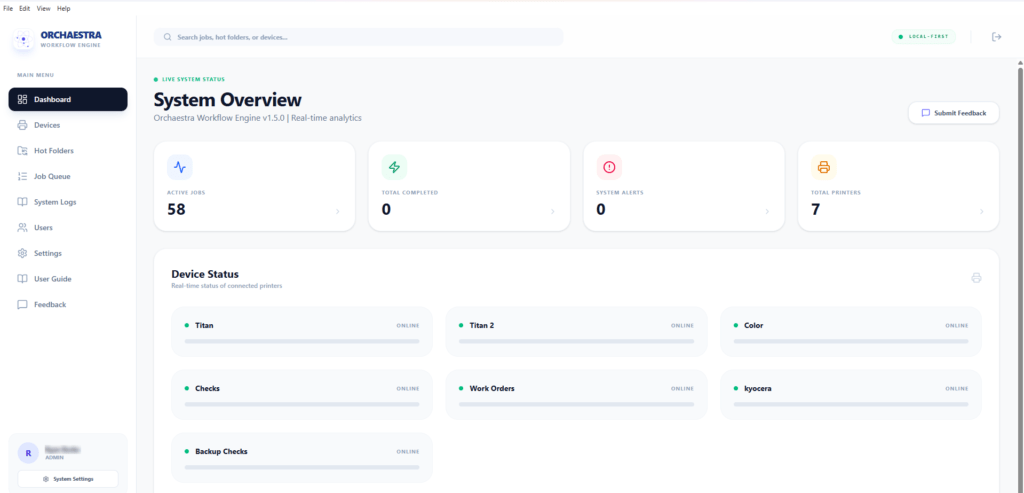
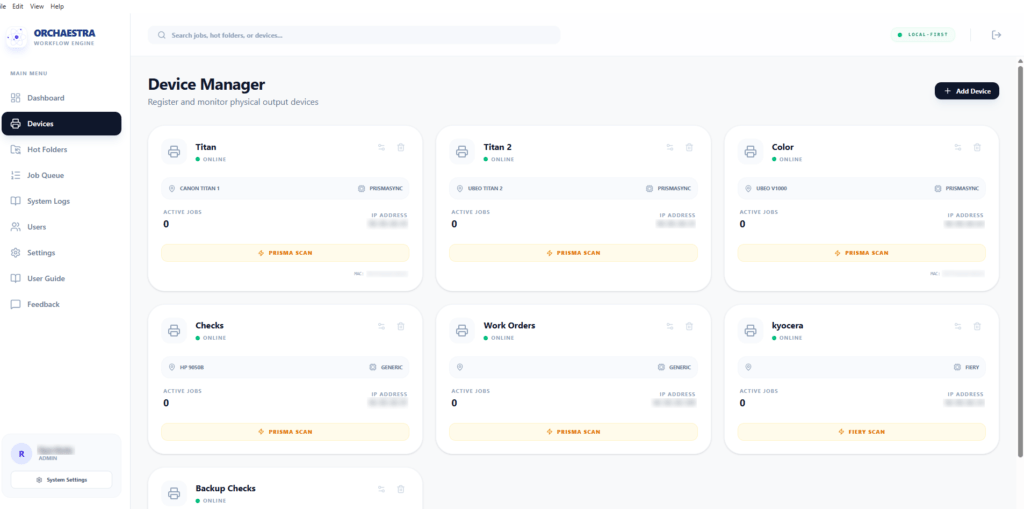
One workflow view instead of separate production islands
Orchaestra gives DMP BPO a centralized workflow layer for coordinating incoming files, available print destinations, and production queues. That helps our team manage the workflow as a whole rather than treating each printer as a separate production island.
Orchaestra is currently used as part of DMP BPO’s internal production workflow and is not yet offered as a standalone software product.
Flexible across print environments
Orchaestra is designed around the workflow, and doesn’t depend on a single manufacturer.
DMP BPO can configure the workflow around authorized network printers, print servers, file locations, and production requirements. This gives our team a consistent way to manage work even when different devices or print systems are part of the production environment.
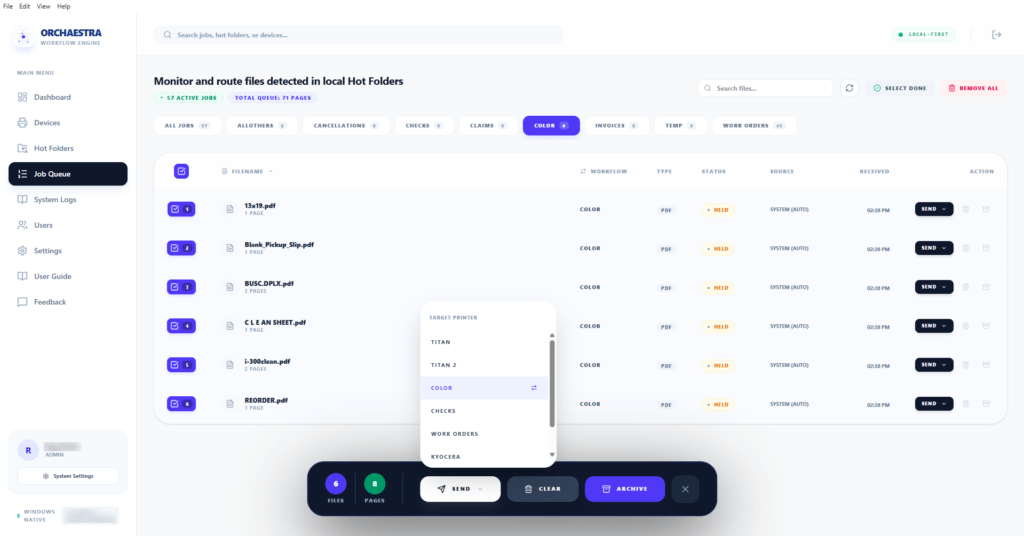
Built around the way production actually works
Network File Intake
Monitor designated folders for incoming work.
Orchaestra monitors configured Hot Folders for incoming files and brings detected jobs into a centralized production queue for review and routing. Hot Folders can be configured to detect, process, and route incoming files to designated production devices.
Device Management & Routing
Direct work to connected print environments.
Register and monitor connected output devices, view their current status, and route production work to the appropriate destination from a centralized interface. Orchaestra can be configured for production environments that include PRISMASYNC, Fiery, and generic network-connected devices.
Production Queue Management
Manage jobs from one workstation.
View active jobs, workflow assignments, page counts, file status, source information, and production routing from one centralized queue. Operators can review jobs and send them to the appropriate output device when ready. New jobs can be held for operator review before printing, helping prevent unintended production and giving your team control over final device assignment.
Automatic Job Archiving
Keep production folders organized.
Completed jobs can be moved automatically into Archive subfolders and removed from the active queue, helping keep Hot Folders organized and reducing the chance that completed files are detected again.